Your whole powertrain, in your pocket.
Three premium dashboards, multiple view modes and an interface you shape to suit you. Connect over Bluetooth to tune performance, save and restore your setups, read the battery cell by cell, install firmware and run Smart Diagnostics when something needs answering. Free on iOS and Android.
Read more
Every TORP controller is designed to be tuned from the app, so the settings that shape your power delivery stay in your pocket instead of a workshop. No special tools, cables or dealer visits are required.
Then the setup is done and the fun starts. Record live ride telemetry, chase a better launch on the drag-race timer, track laps session after session, and navigate by GPS with your speed and consumption still on screen while everything is recorded in real time.
- Free
- iOS & Android
- Bluetooth, no cables
Prefer to ride without a phone on the bars? A TORP display shows your controller and battery data in real time, so you keep an eye on every key stat while you ride.
Footage by Julien Praly (@snaperture_raw)
See it before you install it.
What the TORP app does, screen by screen.
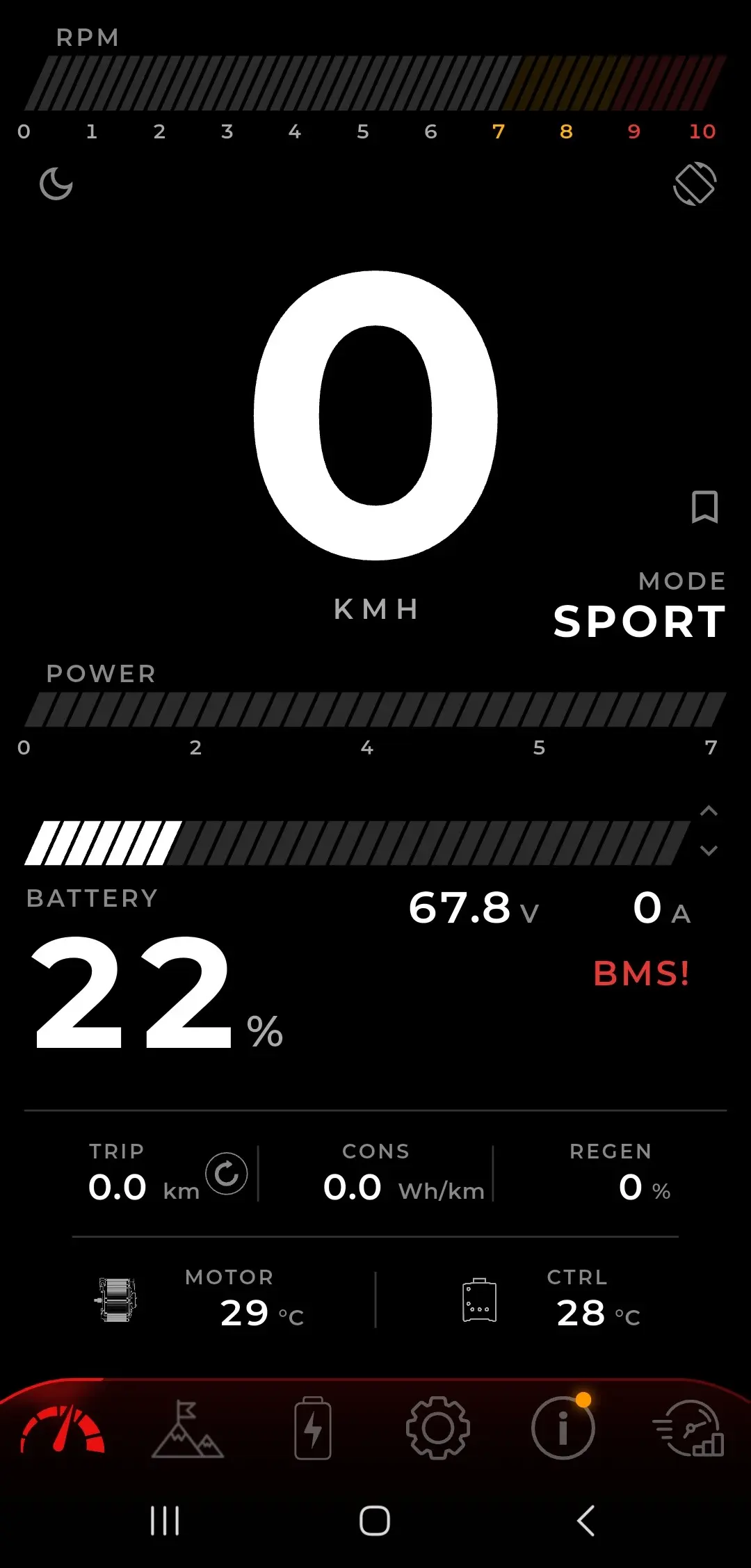
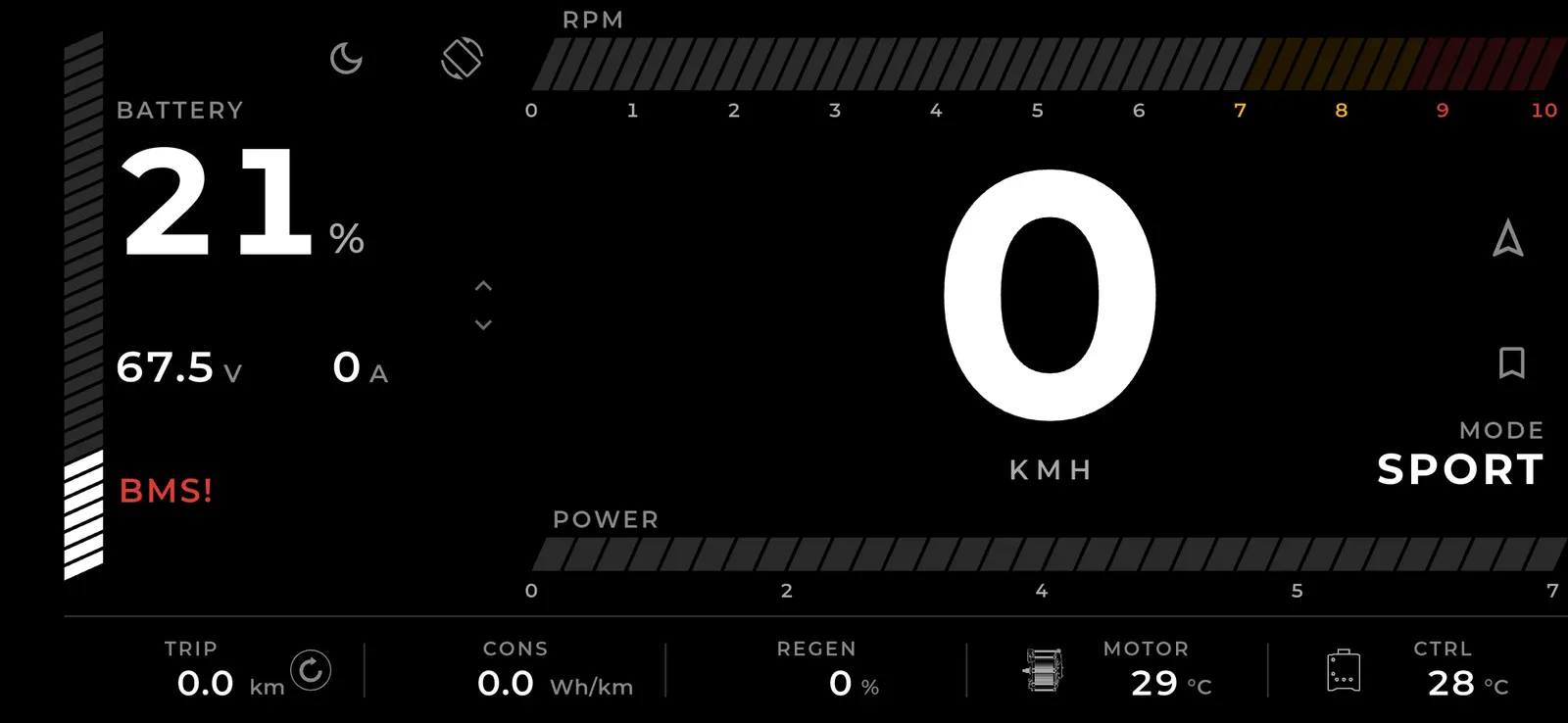
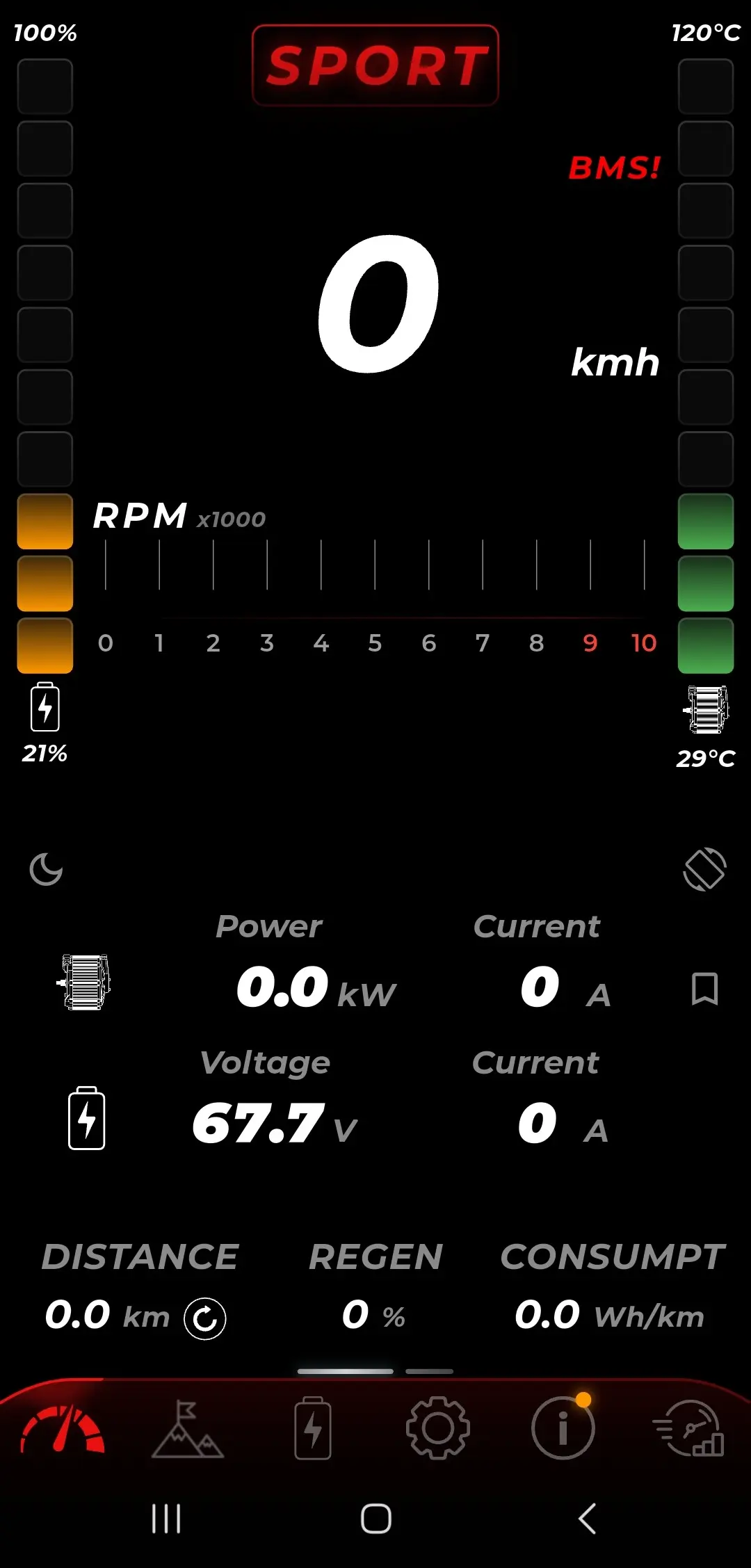
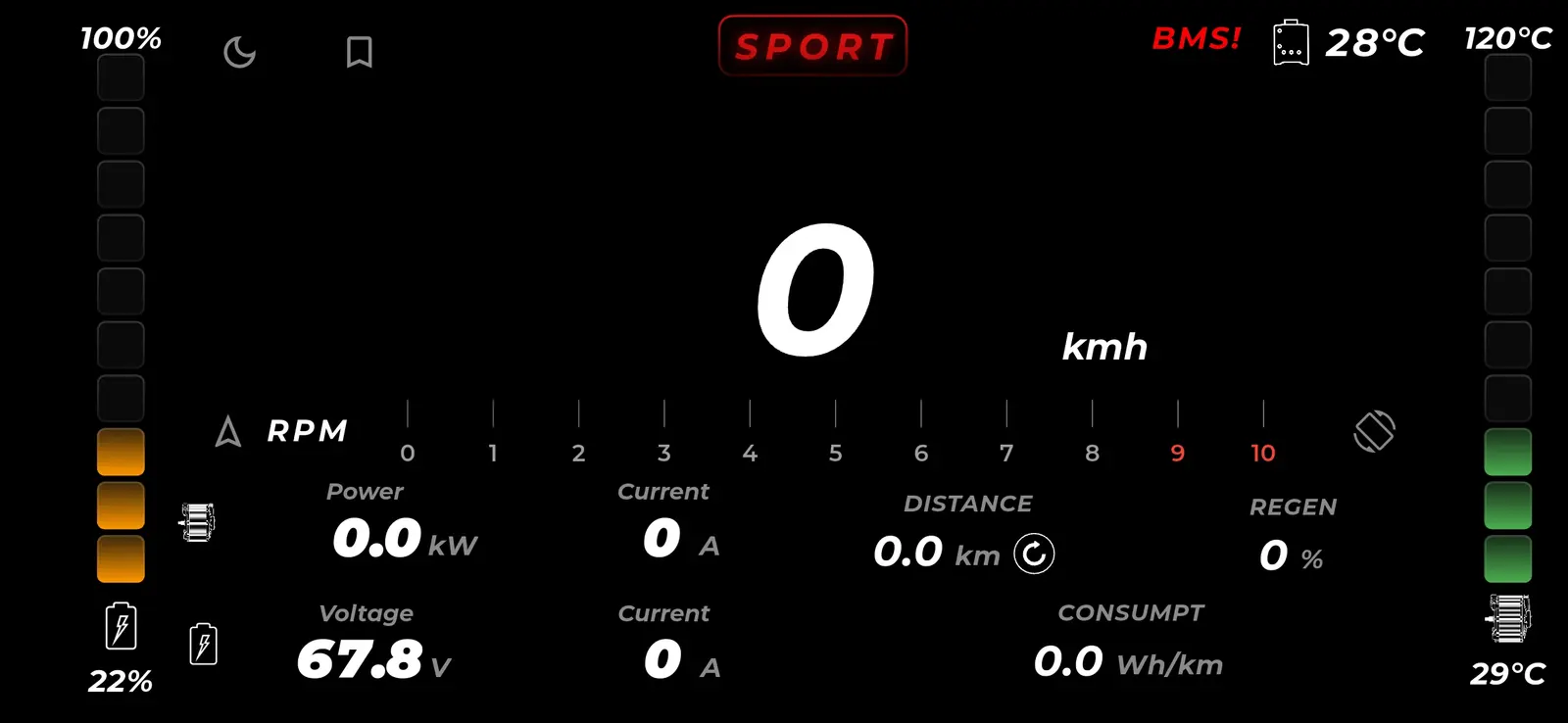
The whole powertrain on your bars.
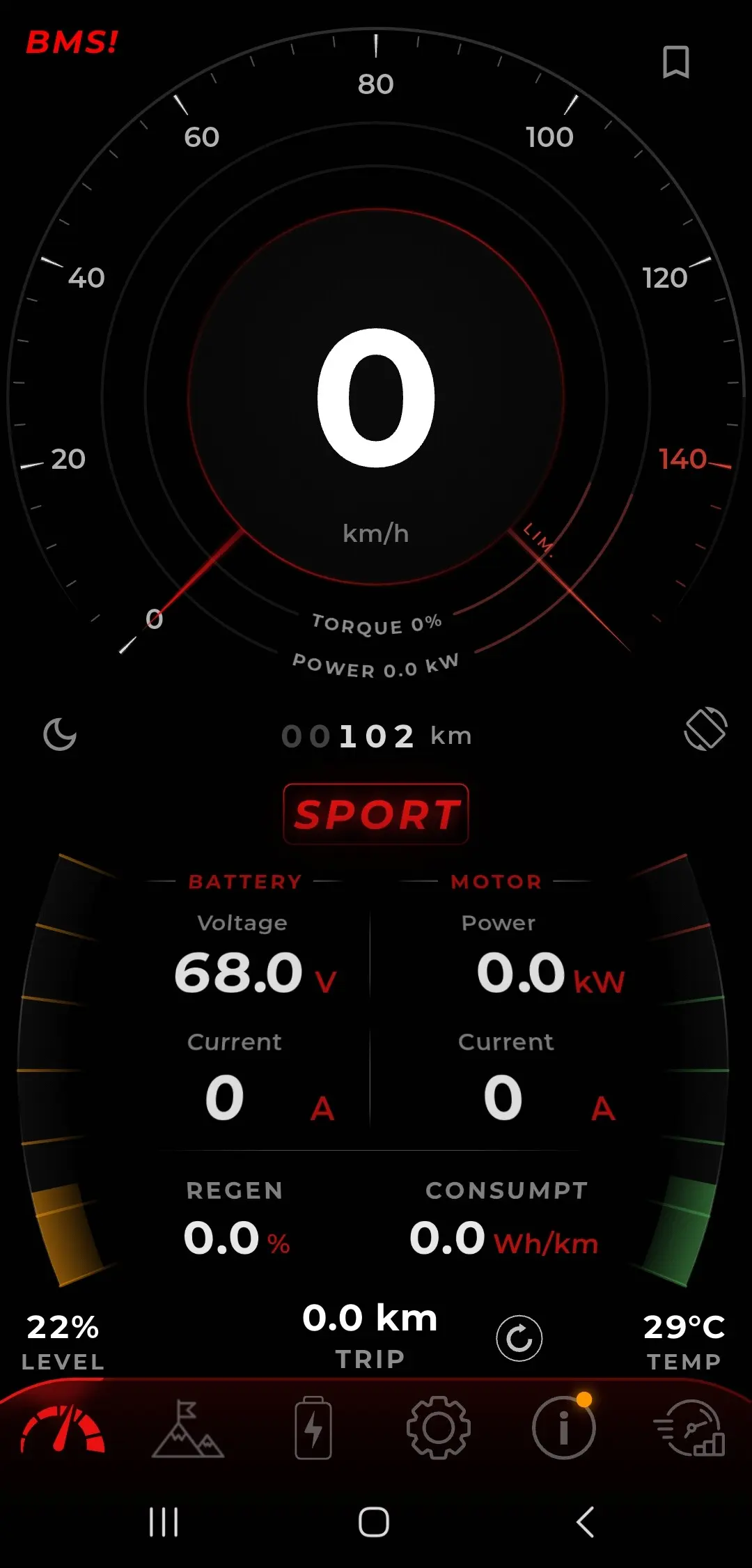
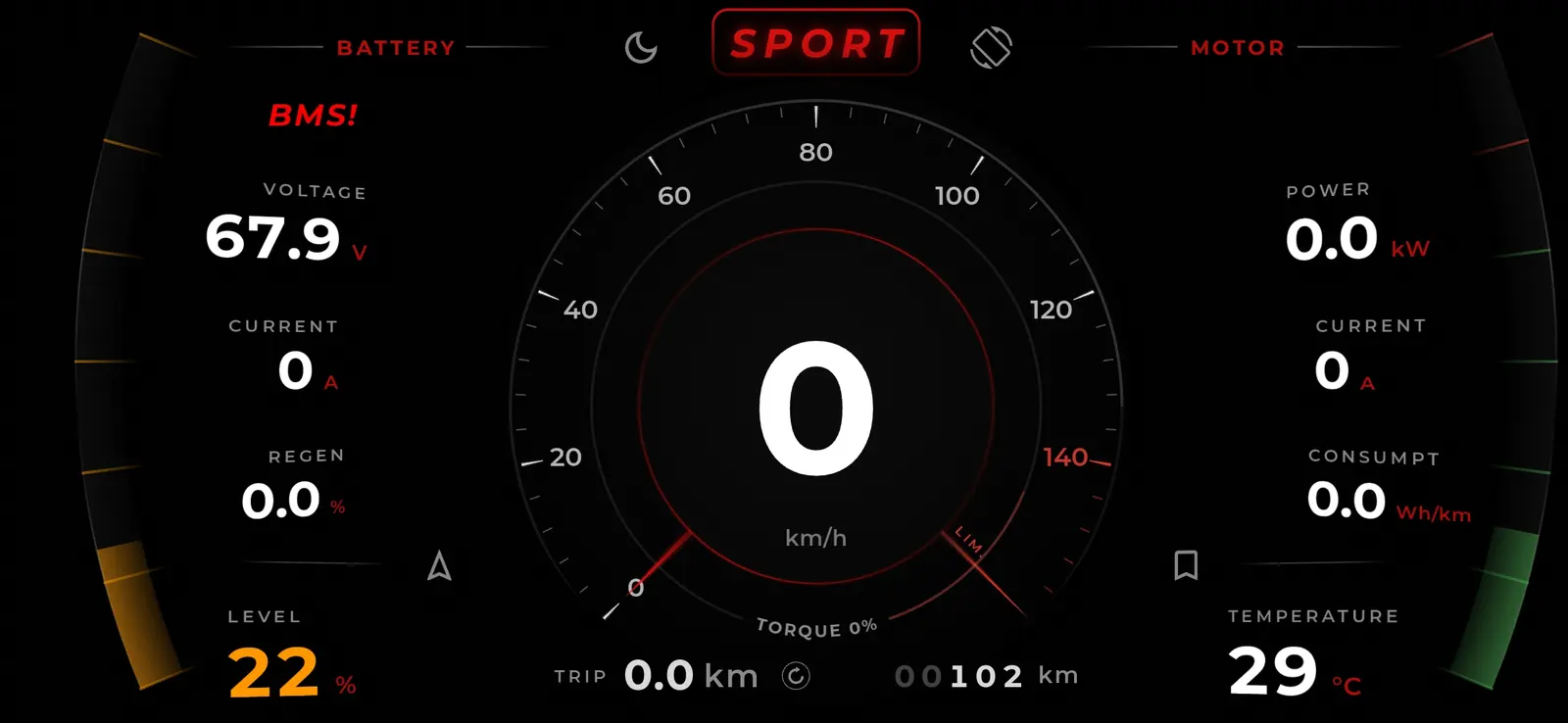
Turn the phone sideways and it is a dashboard: speed, RPM, battery voltage and current, motor power, regen, consumption, trip distance and temperatures, all live while you ride. Swipe between three designs, switch to light mode, or swap the dashboard for a GPS map with destination search and your live position, speed and consumption still on screen.
- Three dashboard designs
- Portrait or landscape, dark or light
- GPS navigation with live data
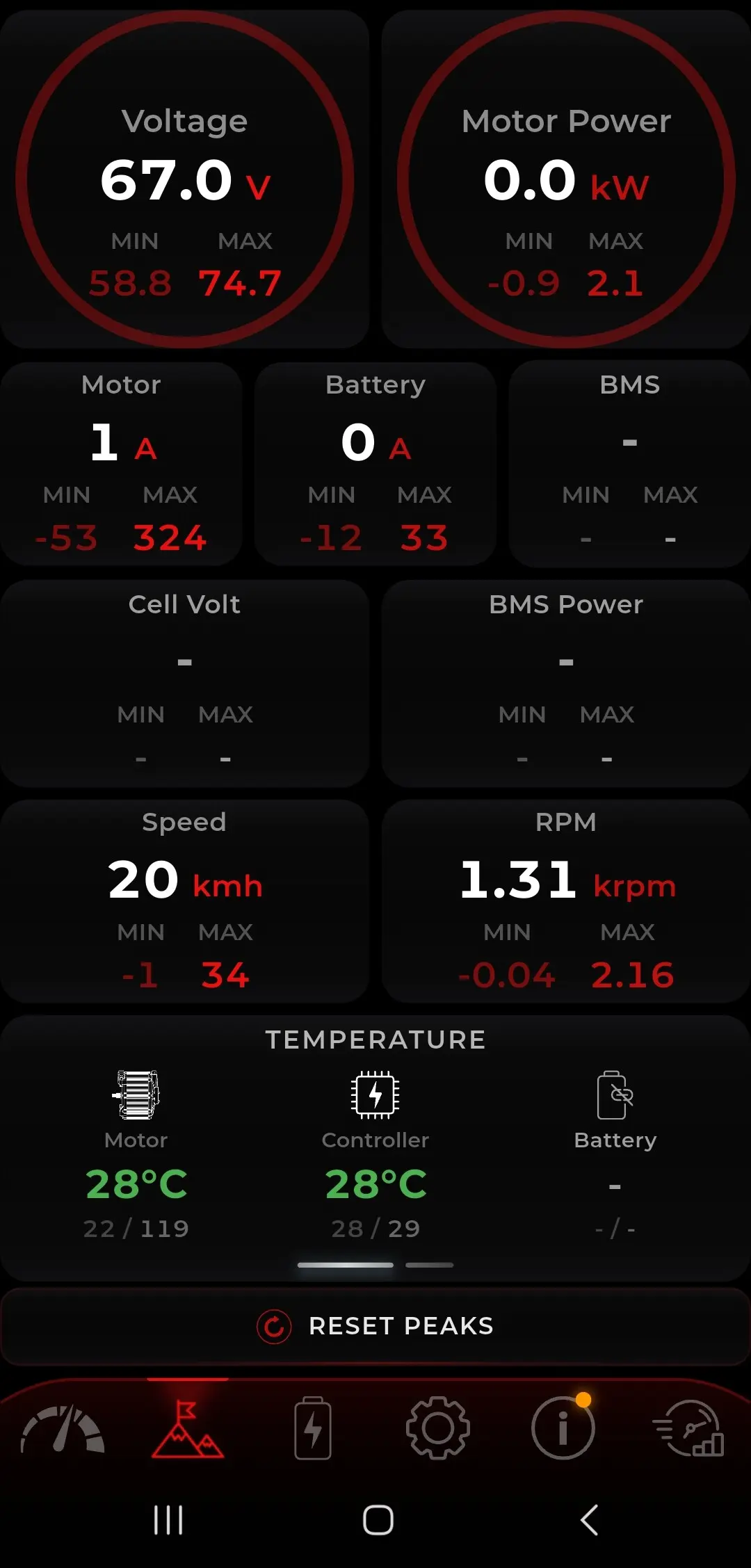
Every channel, with its peaks.
Voltage, motor power, currents, cell voltage, BMS power, speed and RPM, all live, and every one of them holds its own lowest and highest reading for the session. Ride a section, stop, and read exactly what the powertrain did.
- Lowest and highest per channel
- Temperatures, energy used and session time
- Reset the peaks between runs
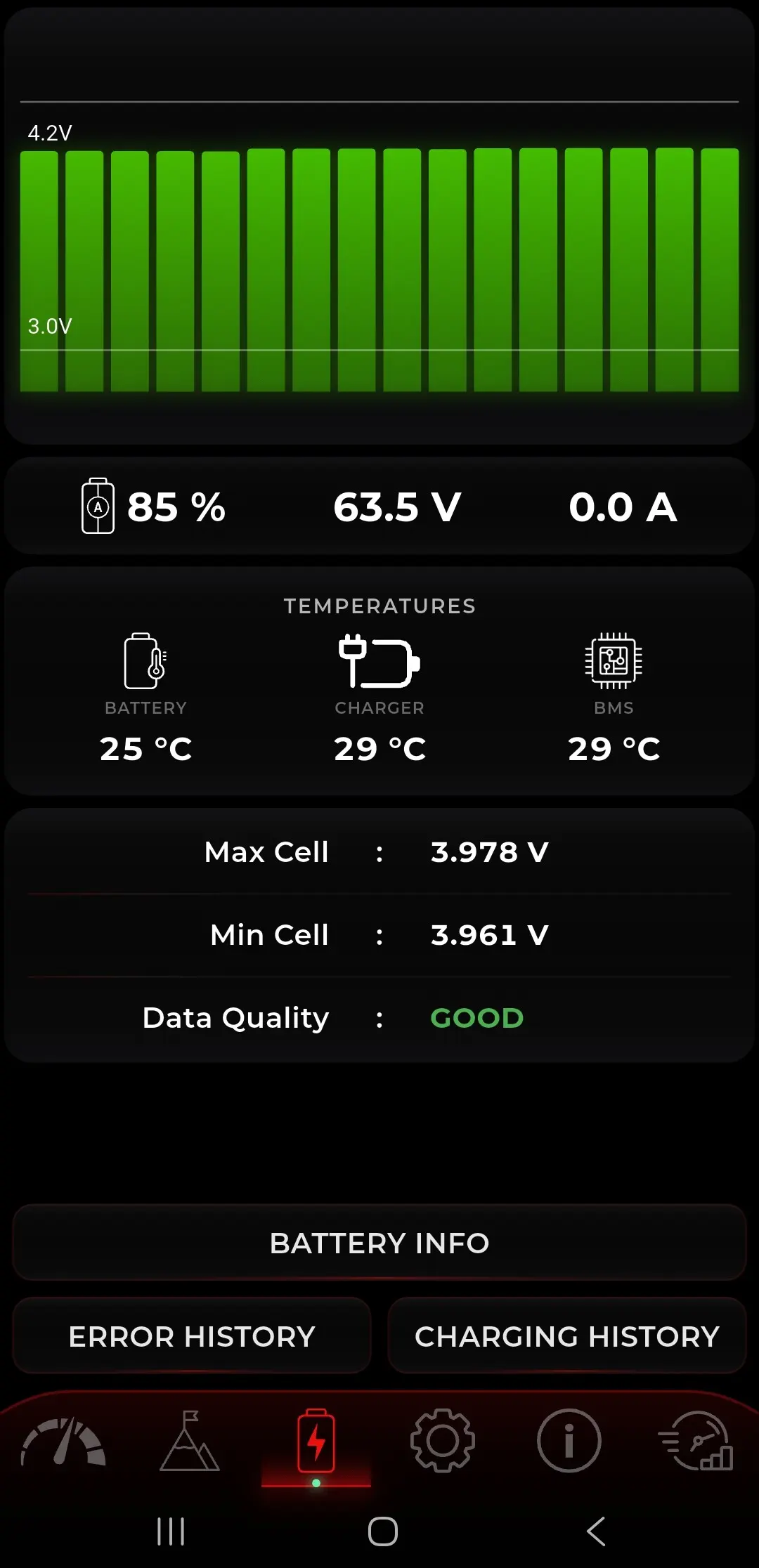
Inside the battery, cell by cell.
Because the controller talks to the stock BMS, the app can show what the pack is actually doing: every cell's voltage side by side, the gap between the highest and the lowest, state of charge, pack voltage and current, and battery, charger and BMS temperatures. Reading the pack this closely is also what makes the extra power safe: TORP controllers are the only aftermarket controllers that unlock more from a stock battery without bypassing its protection.
- Per-cell voltage, highest and lowest
- More power without bypassing the BMS
- Needs the stock SurRon battery
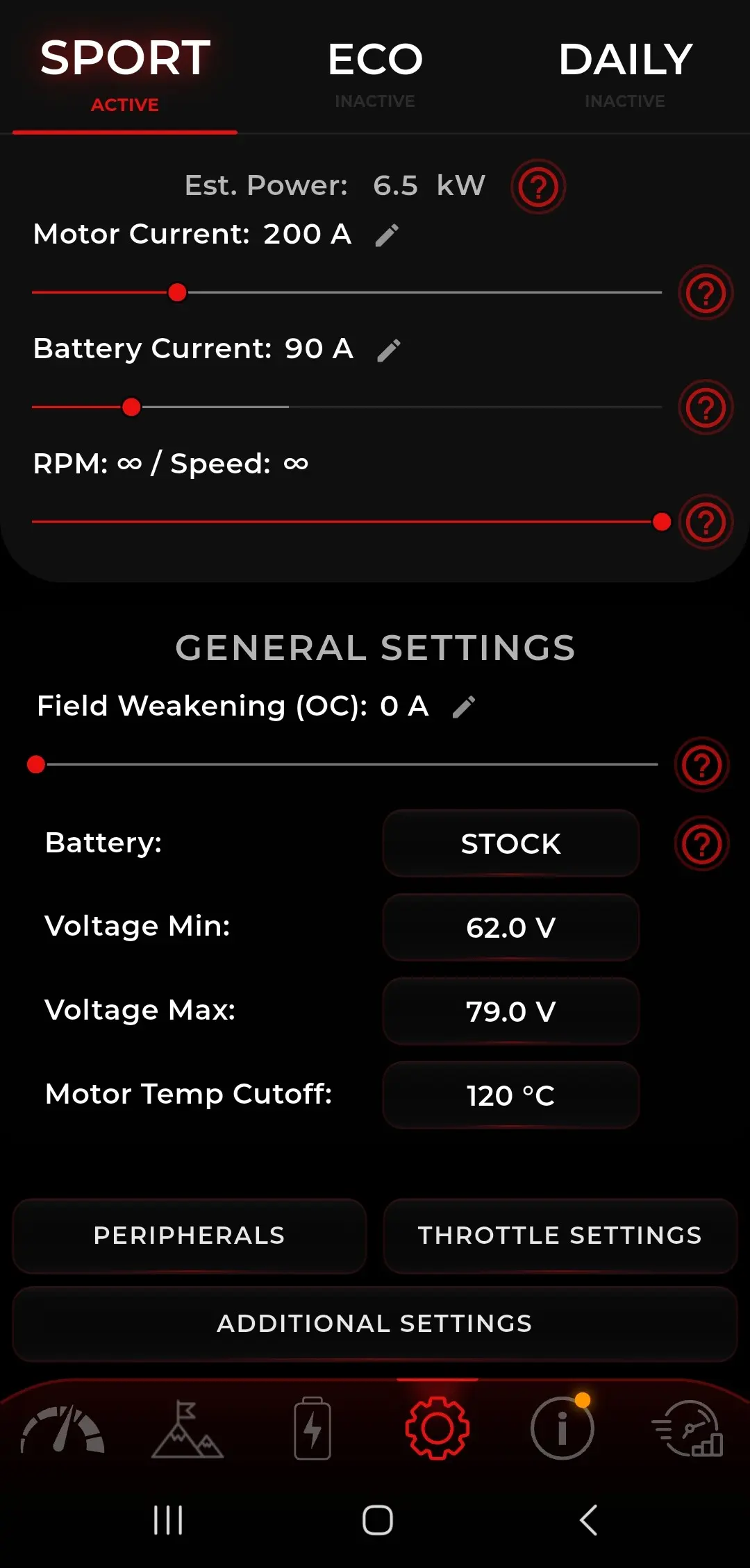
Three ride modes, each its own setup.
Sport, Eco and Daily are separate builds of the same bike: motor current, battery current, speed limit, throttle response and curve, and how much regen comes back. Battery type, voltage limits and the motor temperature cutoff are set once and hold for all three.
- Sport, Eco and Daily
- Per mode: current, speed, throttle, regen
- Set once: battery type and temp cutoff
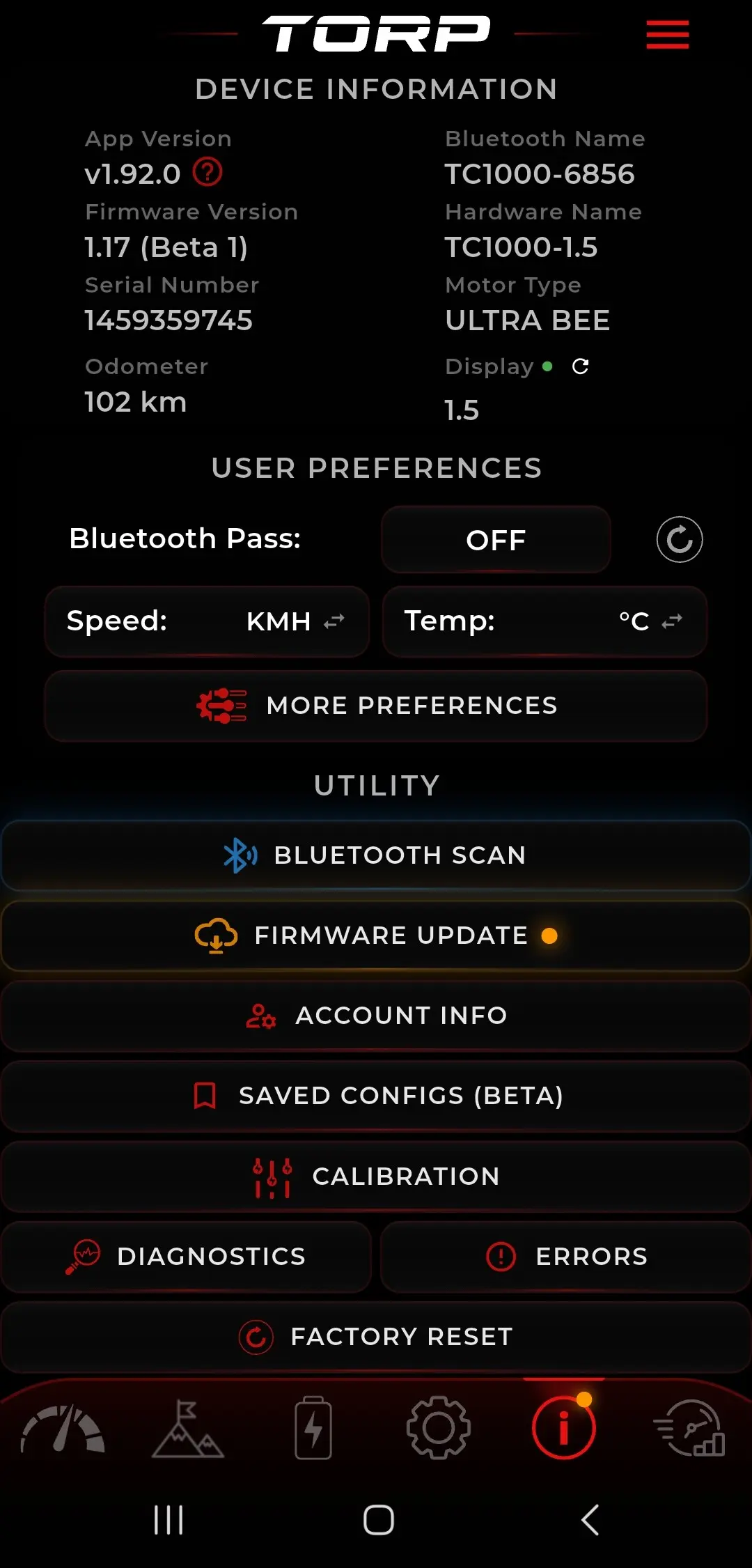
Updates and diagnostics, no cables.
See the app and firmware versions, hardware version, serial number and odometer at a glance. Update firmware over Bluetooth, run calibration, save a whole bike setup and restore it after an update, and generate a diagnostic report you can send straight to support.
- Firmware updates over Bluetooth
- Save and restore your setup
- Diagnostic report for support
Drag race. Lap tracker. Log viewer.
The performance menu turns the app into a test bench: time your launches and keep the runs to compare setups, let GPS record your laps, replay a ride on a satellite map with the data at every point, and film it with the telemetry burned into the footage.
- Drag race with saved runs
- GPS lap timing and map replay
- Video with live telemetry
One app. The whole powertrain.
Set it up, keep it sharp, then see what your bike can really do.
Powertrain calibration & tuning
Calibrate your controller and shape its power delivery exactly how you ride, every parameter, right from your phone.
Smart Diagnostics & troubleshooting
Every controller parameter in one place: pin states, throttle signal, temperatures, encoder and phase voltages, plus the full error history. Generate a report and send it straight to TORP support.
Firmware updates
Install firmware updates straight over Bluetooth. New features and refinements land on hardware you already own, with no cables and no dealer visit.
Live telemetry
Watch voltage, currents, temperatures and BMS data live while you ride, and review the logs afterwards, so you always know what your powertrain is doing.
Ride recording
Record your rides with live performance data overlaid, then relive the best ones.
Drag-race timer
Measure your runs and chase a better launch. The app clocks each one for you.
Lap tracking
Track your laps session after session and explore how your bike really performs.
Battery and cell data
On the stock SurRon battery the app reads the BMS directly: every cell's voltage, the gap between highest and lowest, pack and BMS temperatures, and charge cycles.
Saved configurations
Save a whole bike setup, settings, peripherals and throttle values, and restore it later. After a firmware update the app offers to put your configuration back.
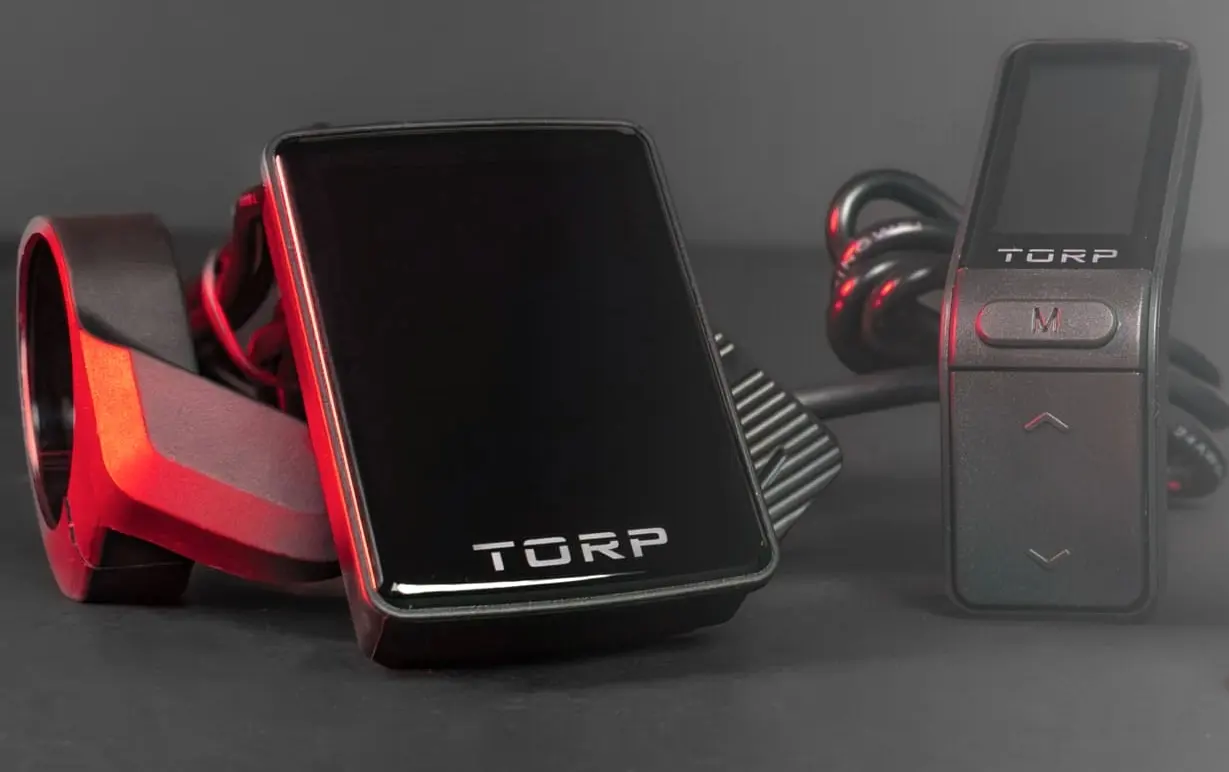
Two displays. Live data on your bars.
The app already shows live data while you ride. A TORP display does the same job on the bars, so your phone stays in your pocket instead of taking the hits. Two to choose from:
- Full Color Display, the larger screen, rich at-a-glance ride data
- Black & White Display, compact, clean and lightweight
- Both work with every TORP controller, your stock display keeps working too
TORP App, questions
Is the TORP app free?
Yes, the TORP app is free on iOS and Android and works with every TORP controller over Bluetooth.
Do I need a TORP display?
No. The app alone gives you full control, tuning and live data on your phone. A TORP display is an optional add-on that shows your controller and battery data on the handlebars, for riders who would rather not ride with a phone up there.
Can I update the firmware myself?
Yes. Firmware updates install over Bluetooth from the app, with no cables and no dealer visit. Run the calibration wizard afterwards with the rear wheel lifted off the ground, it is required after every firmware update, and the app offers to restore your saved configuration once you are done.
Do I need to calibrate before riding?
Yes. Lift the rear wheel off the ground, it spins during calibration, then run the guided wizard in the app before your first ride, and again after every firmware update. The throttle part is simple: twist it slowly to its maximum, release, and save. Calibrate the TORP thumb throttle the same way if you have one.
Does my stock display keep working?
Yes, TORP controllers keep the stock SurRon display fully functional. The app and a TORP display add to it, they don't replace it.
The app is free. It works with every TORP controller.
Find the one that fits your bike, battery and power goal.